POV – Disposable Camera Events
- 4.8
- Rating
- 1.00M
- Installs
- Free
- Price

 Analysis by App-foxy
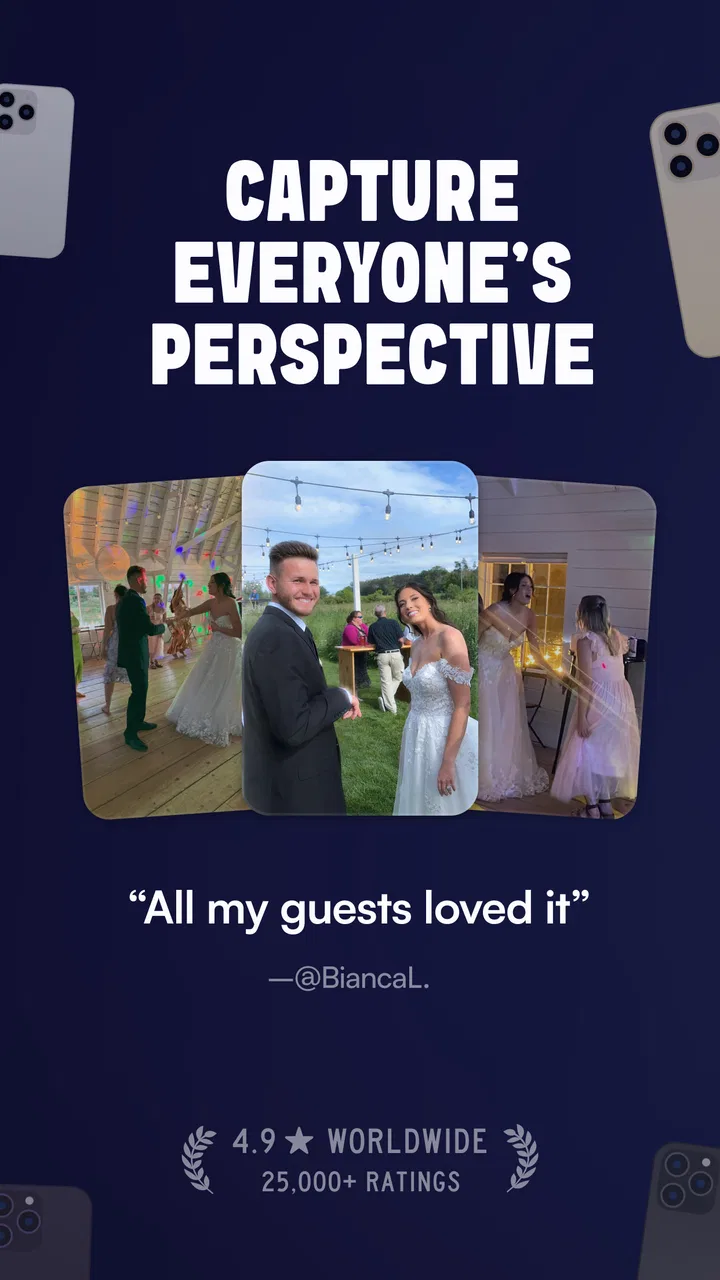
I approached POV – Disposable Camera Events as an event camera rather than another general-purpose photo app. Its idea is easy to understand: people at a wedding, party, or shared gathering can contribute a point-of-view record of the occasion instead of leaving all the photography to one designated person. That makes it interesting because the value is not only in taking pictures; it is in changing who gets to document the moment.
The app is free to install, with optional in-app purchases ranging from $4.99 to $89.99 per item. It is published by Untitled Tech, Inc., falls under the Events category, and carries a Teen content rating. The store summary focuses on weddings, parties, and events, while the short description calls it a POV Camera. Those labels are brief, but they point toward the app’s real appeal: a shared visual experience built around a specific occasion.
In my experience, this kind of tool works best when everyone understands its role before the event begins. It is not a replacement for a professional photographer, and I would not use it as the only record of an important ceremony. Instead, I see it as the informal layer: the view from the dance floor, the table, the queue, the preparation room, or the corner where guests are laughing between planned activities.
You May Also Like

 Blood Strike: 2.5 Anniversary
Blood Strike’s Loadouts Turn Every Drop Into a Tactical Gamble
A close look at Blood Strike’s custom loadouts: how fast access to signature weapons reshapes its battle royale rhythm, rewards preparation, and narrows the gap between fights.

 Pandora - Music & Podcasts
Pandora’s Music Is Easy to Start, but Harder to Recover
Pandora’s strength is its low-effort path from a seed to a station. Its weak spot is how much confidence it asks you to place in connection, setup, and quiet recovery.

 8 Ball Pool
 Is Built on Rivalries, Rematches, and Routine
A close look at the rivalries, rematches, shared routines, and unanswered safety questions that turn a quick pool match into a persistent mobile community.

 Samsung Music
’s Quiet Strength Is Playing What You Already Own
Its reach comes less from spectacle than from dependable access to a personal library. That simplicity is both the app’s strongest retention engine and its ceiling.

 AccuWeather: Weather Radar
AccuWeather Review: A Quick, Clear Forecast for Everyday Decisions
For everyday plans, the best forecast is the one you can understand quickly. AccuWeather makes rain timing, radar, and local conditions easy to act on, with a few trade-offs.

 Hill Climb Racing
Why Hill Climb Racing Still Turns Crashes Into One More Run
A tiny car, a bumpy hill and one more upgrade: Hill Climb Racing keeps resurfacing because its simple chaos makes every near-miss feel personal.
More From Our News Desk



How the shared camera feels during a real event
The most useful way to think about this app is as a prompt for participation. A normal phone camera creates a private collection unless someone remembers to send the photos later. A shared event camera encourages a different habit: guests capture their own perspective while the occasion is happening. That distinction matters at a wedding, where the official photographer may be focused on the couple, while guests notice the reactions, small jokes, and spontaneous interactions around them.
I can also imagine using it at a birthday gathering where several groups arrive at different times. One person might photograph the decorations before everyone arrives, another might capture the first conversation in the kitchen, and someone else might record the energy once the room is full. The resulting collection can feel less polished than a professional album, but it may be more representative of how the day actually felt.
That informal quality is both the strength and the risk. A disposable-camera concept suggests surprise rather than perfect composition. You may get an image that is slightly crooked, dim, or blocked by someone moving in front of the lens. Those imperfections can make a shared album feel personal, but users expecting carefully edited photography may find the result uneven.
The strongest reason to use it is participation, not image quality alone. If your guests are comfortable contributing and the event has enough movement to produce different viewpoints, the app can add a memorable social layer. If people are unlikely to engage, the experience may feel like extra coordination around a camera that nobody remembers to use.
Why connectivity changes the experience
Connectivity is especially important for an event-focused app because the best moments are temporary. A guest may take a picture during a toast, while walking between rooms, or during a brief interaction that will not happen again. If the app depends on an active connection for part of the sharing experience, weak reception can turn a spontaneous action into a delayed or uncertain one.
I would therefore prepare guests before the event rather than assuming the app will explain everything at the perfect moment. Share the event instructions while people have reliable internet, and tell contributors where to use the camera and what kind of moments are welcome. This is a small step, but it reduces the chance that someone tries to participate for the first time in a crowded venue with overloaded mobile service.
Venues create very different network conditions. A city restaurant may have usable Wi-Fi but poor cellular reception inside. A large outdoor celebration may have plenty of signal near the entrance and almost none at the far end of the property. A basement party, hotel ballroom, or rural wedding location can introduce its own problems. I would not judge the app solely by how it behaves in a quiet room with a strong connection, because event use is usually much less controlled.
There is also a social effect. When people are waiting for a photo to upload or wondering whether a contribution went through, they may stop using the app. That is why I prefer a simple participation plan: invite people early, test the process with one or two guests, and avoid making the camera the centerpiece of the event. The celebration should continue even if the network becomes unreliable.
Using it on the move instead of at a desk
This is a mobile-first experience in the most practical sense. Guests will use it while standing, walking, talking, dancing, or holding a drink in one hand. That means the app has to fit into short moments rather than demanding a long setup every time. I found the concept most convincing when imagining quick contributions: a view of the room before the speeches, a candid moment near the food table, or a burst of activity during a group celebration.
For organizers, the best workflow is to make participation visible without making it compulsory. A small sign, a message in the event group chat, or a brief announcement can explain that guests are invited to contribute. I would avoid repeatedly interrupting the event to remind everyone. Too many prompts can make the camera feel like an assignment, and people may start staging moments instead of enjoying them.
Phone handling deserves more thought than it first appears. A user may be moving quickly, dealing with low light, or trying to frame several people at once. The app’s disposable-camera identity makes some rough results acceptable, but contributors still benefit from simple guidance: hold the phone steady for a moment, move closer rather than relying on distant framing, and check that the subject is not hidden behind a bright window or deep shadow.
For a wedding, I would suggest different roles at different times. During the ceremony, guests should follow the couple’s instructions and venue etiquette rather than treating every second as a photo opportunity. During the reception, the app becomes more suitable for informal coverage. At a birthday party, a host could invite contributions during setup and again near the end, creating a beginning-to-finish record without asking guests to document everything continuously.
The app is also better suited to shared social occasions than to private, carefully controlled photography. If you are taking product photos, recording a family archive with consistent framing, or building a formal portfolio, a standard camera app will usually give you more control. Here, the trade-off is clear: less emphasis on technical consistency, more emphasis on collective perspective.
What happens when a moment or connection goes wrong
Every event camera needs a recovery mindset. Someone will close the app accidentally, lose reception, run out of battery, or take a picture while the subject is looking away. A realistic organizer should assume that some contributions will fail and should never make the shared collection the only backup for meaningful memories.
My practical advice is to keep a conventional camera option available. The host or photographer can continue using the normal phone camera for essential moments, while the event app handles the extra viewpoints. This division removes pressure from the shared experience. If a connection problem affects a contribution, the event still has a dependable record; if the official photos miss a spontaneous interaction, the shared camera may capture it.
Battery planning matters too. Guests are already using their phones for messages, navigation, payments, and ordinary photography. At a long event, some may be reluctant to open another camera experience if their battery is low. I would place the invitation early enough that people can charge beforehand, and I would avoid describing participation as something they must do throughout the entire day.
There is a difference between a failed upload and a disappointing photograph. The first is a technical or connectivity problem; the second is simply part of the disposable-camera style. Organizers should not promise that every image will be perfect or that every moment will appear. The app works better when expectations are framed around variety and surprise.
If a guest asks whether the app will work in a venue with uncertain reception, I would give a cautious answer: test it at that location before the event and do not rely on assumptions. A short trial with the same room, network, and type of movement can reveal practical friction that a store description cannot. This is one of the most valuable preparations because event-day troubleshooting is difficult once guests arrive.
Being thoughtful with people, phones, and shared memories
A shared camera changes the privacy conversation even when everyone is acting in good faith. Guests may photograph people who are not expecting to be included, children who need extra consideration, or moments that feel funny in the room but uncomfortable afterward. I would set a clear tone before inviting contributions: capture the atmosphere, respect refusals, and do not use the event camera to embarrass someone.
The Teen content rating is a useful reminder that this is not a tool I would hand to younger children without adult guidance. At a mixed-age celebration, the host should explain the boundaries and make sure participation remains voluntary. That is especially important when the event includes guests who do not know one another well.
Data-conscious use also means avoiding unnecessary pressure to contribute personal material. A guest should not feel that joining the event camera is a condition of attending or being included. I would make the invitation optional and explain the purpose in plain language. People are more likely to participate comfortably when they know whether the camera is intended for candid memories, behind-the-scenes moments, or a particular part of the celebration.
For organizers, a useful habit is to separate essential information from social encouragement. Tell guests how to access the event experience, when it is appropriate to use it, and whom to ask for help. Do not bury those points under a long message full of enthusiasm. At a busy event, clear instructions are more effective than repeated promotion.
The free entry point makes it easier to consider the app for a small gathering, but the optional purchases deserve attention before planning a larger event. The available purchase range is broad, from $4.99 to $89.99 per item, so I would review the exact purchase choices inside the app and decide in advance whether the free experience is enough. I would not wait until guests are arriving to make a spending decision.
How it compares with ordinary phone cameras and event albums
A regular phone camera is more familiar and usually more flexible. Everyone already knows how to open it, take a picture, and share the result through a messaging service or social platform. That approach is convenient, but it scatters the memories across individual devices and conversations. Someone has to collect them later, and some guests will forget to send anything.
Traditional disposable cameras create a different kind of anticipation, but they are limited by physical handling and delayed access. They can be charming for a wedding table or a party, yet they do not offer the same immediate mobile participation. The app takes the spirit of that format and places it in a connected phone workflow, while also inheriting the weaknesses of digital dependence and uneven phone behavior.
Shared albums are the closest alternative for many people. They are excellent when the organizer wants a straightforward place for guests to upload ordinary photos, especially if the group already uses the same platform. However, a shared album can feel like an administrative folder. This app’s appeal is more focused: it turns the act of capturing a guest viewpoint into part of the event itself.
I would choose a shared album for a family trip where people need flexible organization and long-term browsing. I would choose a professional photographer for a ceremony, formal portraits, or any occasion where lighting and composition are critical. I would choose this app when the goal is to collect the unplanned, guest-level story that those alternatives often miss.
Who will enjoy it, and who should skip it
This app is a strong match for hosts who want guests to contribute without assigning one person to document everything. It is particularly appealing for weddings, birthday parties, reunions, and lively gatherings where people move between groups. It can also suit users who enjoy imperfect, candid images more than a carefully uniform gallery.
I would be more hesitant for a small dinner with only a few guests, a formal business event, or a gathering where photography is restricted. In those settings, the extra participation layer may feel unnecessary or intrusive. It is also not my first choice for anyone who needs guaranteed coverage, consistent image quality, detailed editing, or a carefully controlled archive.
Another trade-off concerns audience size. A larger event can produce richer viewpoints, but it also increases the need for clear instructions and sensible expectations. A smaller group may be easier to coordinate, yet it leaves less room for spontaneous variety. The app is most convincing when the host accepts that the result will reflect the personalities and habits of the people attending.
My connectivity verdict
Untitled Tech, Inc. has positioned this free Events app around a simple but worthwhile idea: let the people inside an occasion help tell its story. With an average rating of 4.6 from around 5.1 thousand ratings and more than 500 thousand installs, it has clearly attracted interest beyond a tiny experiment. It was released on December 22, 2022, and the current version is 1.44.170, with support beginning at Android 6.0.
Those details make it accessible to a broad range of Android users, but compatibility alone does not determine whether it will succeed at your event. The real test is preparation. Confirm the venue’s connectivity, explain the purpose before guests become busy, keep a conventional camera available for essential moments, and treat contributions as optional. That approach protects the celebration from technical surprises.
I recommend it when you want a lively, collective record rather than a polished replacement for professional photography. I would skip it when reliable offline-style assurance, strict privacy control, or formal image consistency matters more than spontaneity. Used with realistic expectations, it can turn ordinary guest phones into a set of personal viewpoints—and that is exactly where its value lies.
FAQs for POV – Disposable Camera Events
01What is the primary function of the POV – Disposable Camera Events app?
The POV – Disposable Camera Events app is designed to emulate the experience of using a disposable camera. It allows users to capture photos with a retro, nostalgic feel. The app is ideal for events, providing guests a unique way to document moments with a time delay on viewing the photos, simulating the film development process.
02How does the time delay feature work in POV – Disposable Camera Events?
Once you take a photo with the app, it mimics the traditional film development process by imposing a time delay before you can view the images. This feature enhances the anticipation and excitement, making the experience more authentic and reminiscent of using a real disposable camera.
03Is POV – Disposable Camera Events available for both Android and iOS?
Yes, the POV – Disposable Camera Events app is available for download on both Android and iOS platforms. This ensures that a wide range of users can enjoy the app's unique features, regardless of their device preference. Check the respective app stores for compatibility with your device.
04Does the app offer any customization options for the photos?
The app primarily focuses on providing an authentic disposable camera experience, which means customization options are limited. However, users can choose from various filters that mimic classic film effects, adding a vintage touch to their photos. This simplicity is part of the app's charm and appeal.
05Are there any in-app purchases or subscriptions required for using the app?
POV – Disposable Camera Events offers a free version with basic features. However, to access premium filters or remove ads, users may need to make in-app purchases or subscribe to a premium version. This allows users to enhance their experience while supporting the app's development.
Pros
- User-friendly interface
- easy to navigate.
- Authentic vintage photo filters available.
- No account sign-up required for use.
- Share photos directly to social media.
- Lightweight app
- minimal phone storage needed.
Cons
- Limited editing tools compared to competitors.
- Ads can be intrusive during use.
- Requires internet for some features.
- No option to save in high resolution.
- Limited free features
- in-app purchases needed.

POV – Disposable Camera Events
Gallery